
Timely conversion tracking means your conversion data shows up fast enough and completely enough to act on, combining the Google Ads conversion window with GA4 realtime processing. We at Growth Reach Marketing recommend a four-step approach: audit your current tags, strengthen tracking with server-side or enhanced methods, validate the data, then monitor it on a schedule. Start today with a quick audit of your tags and conversion actions.
TL;DR:
- Use browser tags for speed, add server based tracking to reduce blocked events, and use enhanced conversions or CRM sync for delayed, offsite sales.
- Google Ads gives clicks 30 days to earn credit by default; match that period to the sales cycle because changes affect future conversions only.
- Use GA4 realtime reports to verify tags within minutes, but make budget decisions from daily data, which can take 12 to 48 hours to finalize.
- Offline imports require consistently normalized and hashed identifiers; processing can take up to 24 hours, and order IDs plus currency codes aid reconciliation.
- Compare platform totals with CRM or booking records weekly, and check conversion window and attribution settings before treating discrepancies as broken tracking.
Table of Contents
- Which setup actually delivers timely data: tags, server-side, or CRM sync?
- How do you set up timely conversion tracking step by step?
- How do conversion windows affect which sales actually get counted?
- What does “timely” actually mean when data processes at different speeds?
- How do you import offline conversions without losing accuracy?
- How do you catch tracking problems before they cost you budget?
- Can AI improve how quickly and accurately conversions get attributed?
- How do you track conversions across multiple touchpoints and devices?
- What changes when conversion tracking actually becomes timely?
- How we apply this process for salons and clinics
- FAQ
- Sources
Which setup actually delivers timely data: tags, server-side, or CRM sync?
Most tracking problems come down to picking the wrong method for your business, not a broken tag. Each approach below has a different relationship with speed and durability, and the right choice depends on your sales cycle and how much engineering support you have.
Client-side, native tags (the standard Google Ads or Meta pixel dropped into your site) are the fastest to set up and give you data almost immediately. Their weakness is durability: browser privacy features and ad blockers can quietly suppress a portion of these events before they ever reach your reporting, which means your numbers look timely but are incomplete.
Server-side tagging sends events from your own server rather than the visitor’s browser, which makes them far less likely to get dropped by browser-level blocking. It takes more setup work, usually through a tag management system routed through a server container, but it closes a gap that client-side tags cannot close on their own.
Enhanced conversions and offline imports matter most for lead-driven businesses where the sale happens days after the click, think consultations, quotes, or phone bookings. These rely on hashed identifiers like email or phone number to match a later conversion back to the original ad click.
CRM or back-end sync ties your booking system or point-of-sale directly into your ad platforms, so a closed deal or completed appointment feeds back into the same conversion action automatically.
- Client-side tags: fastest to implement, but vulnerable to browser blocking and ad blockers.
- Server-side tagging: slower to set up, but far more durable against data loss.
- Enhanced conversions: best for leads, quotes, and consultations with a delay between click and sale.
- CRM sync: closes the loop for businesses where the conversion happens outside the website.
For most local service businesses, a combination works best: client-side tags for speed, server-side or enhanced conversions as a backstop, and CRM sync wherever the sale doesn’t happen on the site itself.
How do you set up timely conversion tracking step by step?
Getting from “tracking is probably fine” to “tracking is reliably timely” follows a predictable sequence. Skipping steps is the most common reason conversion data stays messy for months.
- Audit what exists. List every tag, pixel, and conversion action currently firing, and check whether UTM parameters are applied consistently across every campaign and ad platform.
- Map conversions to business goals. Decide which actions actually matter (a booking, a call, a form fill) and assign each one a conversion window that matches how long your sales cycle actually runs.
- Choose your tracking method per conversion type. Strengthen client-side tags with a server-side fallback for high-value actions, and plan enhanced conversions for anything that converts off-site or with a delay.
- Plan your CRM or transaction import. Decide how customer data will be hashed, how often batches will upload, and how you’ll use a job_id for diagnostics if an import fails.
- Configure platform settings. Set your Google Ads conversion windows, confirm GA4 event tagging matches your conversion actions, and turn on enhanced conversions where it applies.
- Validate everything before trusting it. Run test conversions, check the GA4 debug view, and confirm realtime reporting reflects a conversion within minutes of it happening. For appointment-based businesses, this is also where you confirm booking events are firing correctly rather than guessing at setup.
- Set a monitoring cadence. Decide now whether you’ll check tracking weekly or monthly, because an audit done once and never repeated can become outdated.
Pro Tip: Run one test conversion through every active tracking method before you launch a campaign, not after, so you catch a broken tag with your own money instead of a client’s budget.
This sequence matters because each step depends on the one before it. An import plan built before you’ve mapped conversions to business goals tends to import the wrong data cleanly, which is arguably worse than messy data you know is wrong.
How do conversion windows affect which sales actually get counted?
A conversion window is the period after someone clicks your ad during which a conversion still gets credited to that click. Choosing the wrong window doesn’t make tracking “inaccurate” in a technical sense, it just means you’re measuring the wrong thing for your business.
Google Ads defaults to a 30-day click-through window, and you can adjust it to 1, 7, 14, 30, 60, or 90 days depending on the conversion source.
- E-commerce with impulse purchases: a shorter window may better match the real buying behavior.
- Service businesses with a short decision cycle: 14 to 30 days tends to capture most genuine conversions.
- B2B or high-consideration purchases: a longer window may be needed to credit the click that started the process.
A 30-day click-through window is the default setting across Google Ads accounts, which means many advertisers are measuring on a timeline that doesn’t match their actual sales cycle without realizing it.
One limitation worth knowing: changing a conversion window only affects data going forward, it doesn’t retroactively recalculate past conversions. Time-lag reporting inside Google Ads shows how many days typically pass between a click and a conversion, which is the most reliable way to pick a window instead of guessing.
What does “timely” actually mean when data processes at different speeds?
“Timely” isn’t one speed, it’s three different speeds depending on which report you’re looking at. Confusing them is a common reason people think their tracking is broken when it’s actually working exactly as designed.
GA4 processes data in three tiers: realtime data appears within minutes, intraday data takes roughly 2 to 6 hours, and the full daily dataset can take 12 to 48 hours to finalize, depending on your property.
- Realtime reporting: useful for confirming a tag fired correctly right after you make a change.
- Intraday data: a reasonable middle ground for checking campaign performance mid-day.
- Daily data: the most complete and accurate version, but it won’t be final until the next day.
Realtime reports also cover fewer dimensions than the full report, and figures can shift slightly as more complete data rolls in. The practical rule: use realtime for verification right after a launch or a fix, and rely on daily data when you’re making budget or targeting decisions. Treating a realtime number as final is one of the more avoidable tracking mistakes we see.
How do you import offline conversions without losing accuracy?
Plenty of real conversions happen away from your website: a phone call that turns into a booking, a walk-in sale, or a deal that closes a week after the original form submission. None of these get tracked automatically, which is exactly what offline conversion imports and enhanced conversions for leads are built to solve.
Enhanced conversions for leads work by hashing identifiers like email addresses and phone numbers using SHA-256, then matching them back to the original ad click once the customer data is normalized correctly, which is also required when importing store sales conversions through the API.
- Normalize and hash customer data consistently, since formatting errors are a common reason matches fail.
- Batch uploads and use a job_id so you can trace a specific import if something goes wrong.
- Expect imported conversions to attribute back to the original click date, even though processing can take up to 24 hours to appear.
- Include an order_id and currency code wherever possible to make reconciliation against your CRM easier later.
Pro Tip: Check your diagnostics report for a warning like CLICK_NOT_FOUND after every import, since it usually points to a missing or mismatched identifier rather than a platform error.
How do you catch tracking problems before they cost you budget?
Tracking that was accurate at launch doesn’t stay accurate on its own. A monitoring routine is what keeps timely data from quietly turning into stale or incomplete data.
- Check realtime reports daily for a quick sanity check that conversions are still firing.
- Compare weekly platform totals against your CRM or booking system to catch silent gaps.
- Spot-check a sample of individual orders or bookings against what each platform recorded.
- Review UTM consistency across every live campaign, since one mistyped parameter can fragment a channel’s data for weeks. Following a consistent set of UTM rules across Google, Meta, and LinkedIn prevents most of this.
Pro Tip: When your ad platform and your CRM disagree on conversion counts, check the conversion window and attribution model first, since those two settings explain most discrepancies before you assume anything is actually broken.
Discrepancies between platforms are rarely a single bug. They’re usually a mix of different attribution models, a mismatched conversion window, or a handful of lost events that server-side tracking would have caught. When you find a gap, fix the highest-volume conversion path first, add a server-side fallback to whichever event matters most to revenue, and put a recurring audit on the calendar rather than waiting for numbers to look wrong again.
Can AI improve how quickly and accurately conversions get attributed?
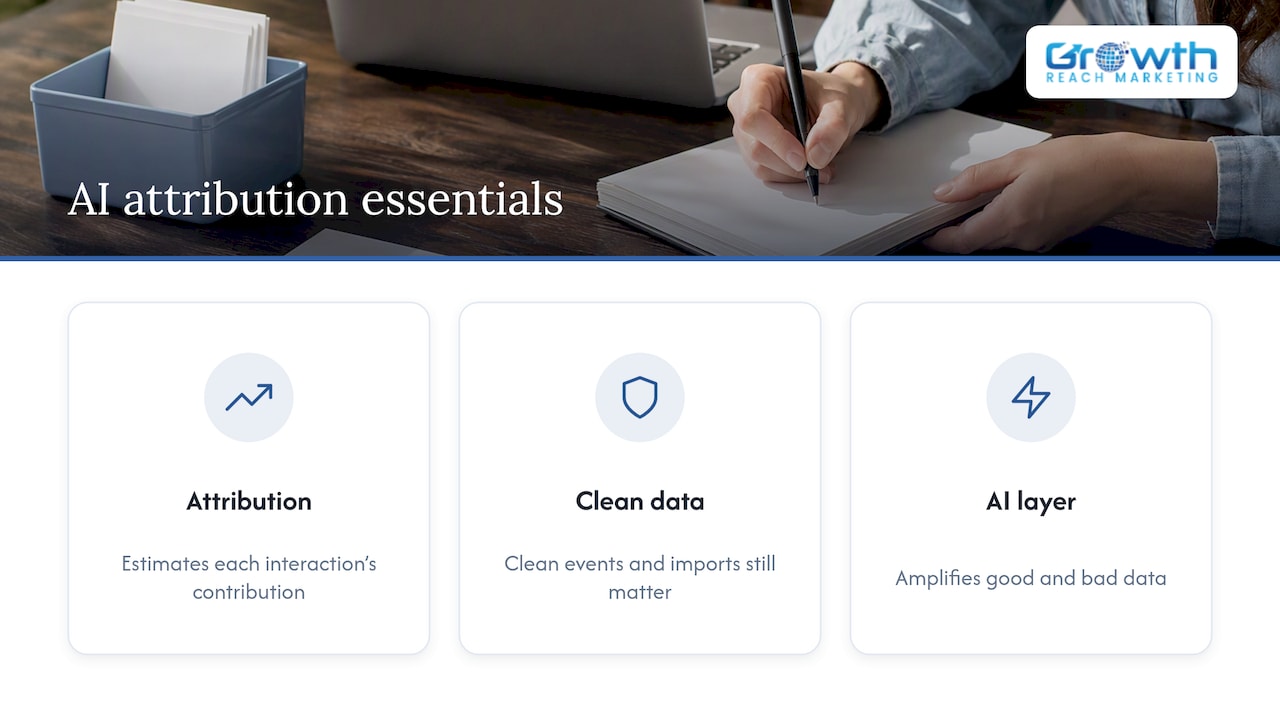
Machine learning models inside ad platforms increasingly handle the job of deciding which touchpoint deserves credit for a conversion, especially as cookie-based tracking becomes less reliable. Data-driven attribution models use pattern matching across many conversion paths to estimate each interaction’s contribution, which helps fill gaps left by incomplete click-level data.
The practical benefit for timeliness is indirect but real: when a platform’s model can estimate a probable conversion path even without a perfect click match, it reduces the number of conversions that go uncredited while you wait for a manual import or a delayed offline sync. This doesn’t replace the fundamentals. A model can only work with the data you feed it, so clean, consistent event data and well-maintained conversion imports still matter more than which algorithm sits on top of them.
The practical takeaway for a marketer isn’t to chase every new automated feature a platform releases. It’s to make sure your underlying data feed, consistent UTMs, properly hashed offline imports, correctly mapped conversion actions, is clean enough that any model built on top of it has something accurate to work with. Automated attribution amplifies good data and also amplifies bad data, so the fundamentals from the setup steps above come before any AI layer.
How do you track conversions across multiple touchpoints and devices?
A single customer might click a Facebook ad on their phone, research on a laptop later, then book over the phone. Tracking that entire path as one conversion, rather than three disconnected events, is what multi-touch and cross-device tracking tries to solve.
The most reliable foundation is consistent identity signals: logged-in user IDs, hashed email addresses through enhanced conversions, and CRM data that ties a booking back to the original campaign. Without at least one of these threads connecting the touchpoints, each platform will report its own fragment of the journey and none of them will be wrong exactly, just incomplete.
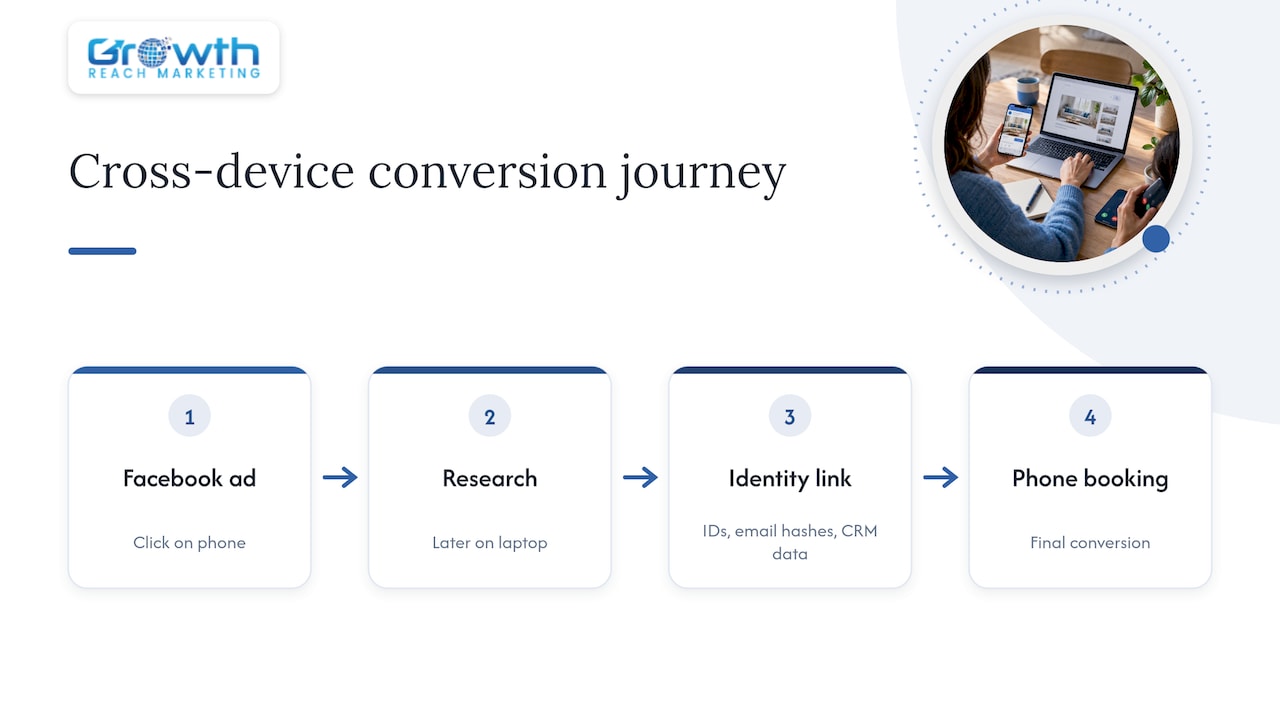
For timeliness specifically, the goal is making sure each touchpoint reports as close to real time as its platform allows, so that when the final conversion happens, there’s a complete trail to attribute it against. A phone booking that closes a lead generated earlier only attributes correctly if the original click data was captured and is still within the conversion window you set. This is another reason choosing a window that matches your actual sales cycle, covered earlier, has a direct effect on cross-device accuracy: a window that’s too short will simply drop the earlier touchpoints from the picture entirely.
What changes when conversion tracking actually becomes timely?
The clearest sign that conversion tracking has moved from “roughly working” to genuinely timely is that budget decisions stop being delayed by a data lag. When a business can see which campaign produced which booking without a prolonged data lag, it can shift spend toward what’s working while the campaign is still running instead of after the budget is already spent.
A lead-generation business that previously only saw conversions days after the fact, once a sales rep manually logged a closed deal, gains a different kind of control once CRM data syncs automatically and enhanced conversions fill in the identity match. The gap between “a sale happened” and “the ad platform knows a sale happened” can shrink, and that gap is where wasted ad spend may hide.
The same pattern shows up with offline-heavy businesses: a salon or clinic that relies on phone bookings often has conversion data living entirely in a separate booking system, disconnected from the ad platform. Closing that gap with the offline import and enhanced conversion steps covered earlier turns a static monthly report into something closer to a live decision-making tool.
How we apply this process for salons and clinics
We run this exact sequence, audit, implement, validate, monitor, for the salons and aesthetic clinics we work with, because appointment-based businesses are especially prone to losing conversions between a phone call, a booking system, and the ad platform. Our starting point is always a tracking audit: checking whether existing tags fire correctly, whether booking events map to the right conversion actions, and whether a call tracking setup is actually audit-ready for a salon or clinic.
From there, we implement enhanced conversions and CRM sync where the business takes bookings off-site, then validate everything against realtime and daily reports before calling the setup complete. If you manage your own Google Ads or Meta campaigns, the simplest first move is running the audit step from this guide on your own account this week. If you’d rather hand that process to a team, our services page outlines how we handle Google Ads, Facebook and Instagram Ads Management, and conversion setup for beauty and wellness brands.
— Gerard
FAQ
How do I create conversion tracking in Google Ads?
Create a conversion action in your Google Ads account, choose a category and conversion window, then add the generated tag to your site or use Google Tag Manager. From there, test the tag with a sample conversion and confirm it appears in your conversion window settings before launching a full campaign.
What does a 2% conversion rate mean for my campaign?
A conversion rate describes the share of visitors who completed your defined conversion action, such as a booking or purchase. Whether that’s good depends heavily on your industry, traffic source, and what counts as a conversion, so it’s best compared against your own historical data rather than a single benchmark.
Why am I getting clicks but no recorded conversions?
This usually points to a tracking gap rather than an actual lack of sales: a broken tag, a conversion window set too short for your sales cycle, or browser privacy features blocking client-side pixels. Running the audit and validation steps covered above, including checking GA4 realtime reporting, typically identifies where the gap is happening.
Is a 30% conversion rate considered good?
Context matters more than the number itself: a 30% rate on branded search traffic means something very different than 30% on cold paid traffic.