
Yes, tag every external booking and promotional link with UTMs so you can attribute bookings to the right channel. Three parameters do the heavy lifting: utm_source (where the click came from), utm_medium (what kind of channel it was), and utm_campaign (which promotion it belongs to). Get those three right and you can finally see which posts, emails, and ads actually turn into booked appointments.
TL;DR:
- Accurate UTM parameter naming and consistent lowercase use prevent data fragmentation across channels and improve report reliability.
- Tagging key promotional links in social media, email, and paid ads provides clear attribution, especially when paired with proper testing and validation.
- Monitoring UTM data in GA4 reveals which channels and content types effectively convert traffic into bookings, guiding budget allocation.
- Incorrect or missing parameters, auto-tagging conflicts, and untested links can cause reporting gaps, so regular checks and troubleshooting are essential.
- Using a shared UTM master sheet and automation techniques helps maintain consistency and saves time in large-scale marketing efforts.
Table of Contents
- What UTM parameters are and what each one tracks
- How to build a UTM-tagged link step by step
- UTM naming conventions and best practices with salon examples
- Where to apply UTMs in salon marketing channels
- How to view UTM data in Google Analytics and connect it to bookings
- Common mistakes and troubleshooting for salon UTM tagging
- Record-keeping: a simple UTM master sheet and automation tips
- Practical, agency-tested tips and a week-1 checklist
- How to align UTM tagging strategy with salon business goals and customer journey
- Examples of effective UTM tagging campaigns specific to salons
- Integration of UTM tagging with salon CRM and booking systems
- How to analyze UTM data to optimize salon marketing campaigns
- Best practices for testing and validating UTM parameters before launch
- Author perspective from Gerard and Growth Reach Marketing
- How Growth Reach Marketing can help implement tracking and reporting
- Sources
- FAQ
What UTM parameters are and what each one tracks
A UTM parameter is a short tag added to the end of a URL that tells your analytics tool where a visitor came from. Google Analytics uses these tags to fill in the source, medium, and campaign fields for every session, and setting them correctly is what makes your reports mean anything, according to Google’s own documentation on custom URLs.
Each parameter answers a different question about a click:
- utm_source: which platform sent the visitor, such as instagram, facebook, or a specific email newsletter.
- utm_medium: what kind of traffic it was, such as social, email, sms, or paid.
- utm_campaign: which specific promotion the link belongs to, such as a summer offer or a new client push.
- utm_content (optional): which exact post, button, or creative was clicked, useful when two links point to the same page.
- utm_term (optional): which keyword or audience segment triggered a paid search click.
A tagged link for a salon might look like this: https://yoursalon.com/book?utm_source=instagram&utm_medium=social&utm_campaign=newclient-summer. That one string tells Analytics the visit came from Instagram, through an organic social post, tied to a new client summer campaign. A university communications guide covering UTM tracking codes shows similar mapping examples for turning a campaign goal into consistent parameter values.
How to build a UTM-tagged link step by step
Building a tagged URL takes minutes once you know the pattern. The syntax is always the same: base URL, a question mark, then parameter and value pairs joined by ampersands.
- Start with the destination URL, usually your booking page or a specific landing page.
- Add a question mark, then your first parameter:
?utm_source=facebook. - Add each additional parameter with an ampersand:
&utm_medium=paid&utm_campaign=rebook-bday. - Use Google’s Campaign URL Builder to generate the string automatically instead of typing it by hand, which cuts down on typos.
- For Google Ads specifically, rely on the platform’s dynamic parameters and auto-tagging rather than layering on your own manual UTMs, since manual tags can override the gclid value Google Ads needs for accurate reporting, as Analytics Help explains.
- Paste the finished link into the ad, the social bio, the email button, or the SMS message.
- Click the link yourself from the live post or ad before you consider the job done.
- Confirm the full UTM string is still intact in the browser’s address bar after the click.
That final check matters more than it sounds. Link shorteners, some booking platforms, and certain email tools strip query parameters if you are not careful, and a broken UTM is worse than no UTM because it can quietly disappear halfway through the customer’s path. For salons running ads, our guide on structuring Google Ads campaigns covers how tagged links connect ad clicks to the booking page itself.
UTM naming conventions and best practices with salon examples
UTM values are case-sensitive, which means Instagram, instagram, and INSTAGRAM will show up as three separate rows in your reports even though they are the same platform, a quirk Google Analytics documentation flags directly. The fix is a naming standard you apply every single time.
- Use lowercase for every parameter value, no exceptions.
- Pick one separator, either a dash or an underscore, and stick with it across every tag.
- Avoid spaces, apostrophes, and special characters that can get encoded oddly in a URL.
- Standardize your source and medium values in advance: instagram, facebook, email, sms, and google cover most salon channels.
- Name campaigns in plain, descriptive terms: newclient-summer, rebook-bday, or referral-launch read clearly months later.
A practical naming-convention standard built for marketing teams offers a similar structure if you want a second reference point.
Consistency is the entire point. If half your links say “email” and the other half say “Email” or “newsletter,” your acquisition report splits one channel into three, and you end up underestimating how well email actually performs.
Pro Tip: Write your naming rules on a single sticky note above your desk: lowercase, dashes, source-medium-campaign, in that order, every time.
Where to apply UTMs in salon marketing channels
Not every link needs a tag, but most of the links you actively promote do. Here is where tagging pays off for a salon:
- Social posts and bio links: tag the link in your Instagram bio separately from a link inside a story sticker, using utm_content to tell the two apart even when both point to the same booking page.
- Email campaigns: tag every button in a newsletter differently from a one-off promo blast so you can see which type of email actually drives bookings.
- SMS and WhatsApp: tag booking links sent through text message campaigns, since these often convert at a different rate than social clicks and deserve their own row in your reports.
- Paid ads: tag Facebook and Instagram ad links manually, but for Google Ads, lean on auto-tagging instead, as covered above.
- Google Business Profile and directories: tagging here can help if you actively drive traffic to your profile, but for the primary “Book Now” button that Google itself manages, a plain link is often simpler and less likely to break.
The goal is not tagging everything. It is tagging everything you can control and that feeds into a decision you will actually make.
How to view UTM data in Google Analytics and connect it to bookings
Once your links start collecting clicks, the data lives in one place inside GA4.
- Open your GA4 property and go to Reports, then Acquisition, then Traffic acquisition.
- Switch the primary dimension to Session source/medium to see exactly which combinations, like instagram/social or email/newsletter, are sending visitors.
- Add Session campaign as a secondary dimension to break traffic down by the specific promotion each session came from.
- Cross-reference that traffic against your booking conversion event, so you can see not just visits but which source and medium actually produced completed bookings.
- Validate a brand-new tag by clicking it yourself, confirming the UTM string survives in the landing page URL, and checking that the session shows up correctly in the acquisition report within a few hours.
If a tagged link is not showing up as expected, the most common culprit is a stripped parameter somewhere between the click and the landing page. Our article on tracking salon marketing results that matter walks through which metrics deserve your attention once the traffic data is flowing correctly.
Common mistakes and troubleshooting for salon UTM tagging
Most broken salon reports trace back to one of a handful of avoidable errors.
- Inconsistent capitalization: “Instagram” and “instagram” register as different sources, fragmenting what should be one row into several, per Google’s Analytics documentation.
- Missing parameters: leaving out utm_medium or utm_campaign produces “(not set)” values that make a channel impossible to evaluate.
- Overwriting auto-tagging: adding manual UTMs to a Google Ads link on top of the platform’s own auto-tagging can break attribution instead of improving it, according to Analytics Help.
- Untested links: publishing a tag without clicking it first means you find out it is broken only after a week of missing data.
A single missed parameter is enough to send a session into “(not set)” in your acquisition reports, which is why every link should include utm_source, utm_medium, and utm_campaign at minimum before it goes live. A quick troubleshooting habit: whenever direct traffic looks unusually high, check for links that lost their UTMs somewhere in transit, a pattern covered in detail by Netco Design.
Record-keeping: a simple UTM master sheet and automation tips
A shared spreadsheet keeps your tagging honest and auditable. Set up columns for date, campaign name, source, medium, content, the generated link, the person who created it, and any notes. Store it in a shared Google Sheet, lock the top row so nobody edits the naming rules by accident, and hyperlink each generated URL straight to your canonical booking page.
- Use a URL builder template so every new link follows the same structure without retyping parameters.
- Pull dynamic parameters from ad platforms where available instead of hardcoding values.
- Consider a short-link service that preserves the full UTM string behind the shortened URL, since some do not.
- Assign one team member to review the sheet weekly and catch duplicate or inconsistent entries before they multiply.
Practical, agency-tested tips and a week-1 checklist
We have watched salons go from guessing which platform drives bookings to knowing within two weeks. Start small: pick three priority channels, build your UTM master sheet, tag your booking link on each channel, and check GA4 for conversions after seven to fourteen days. Tag your busiest bio link and one paid ad first.
Pro Tip: Do not try to tag every channel in week one. Three well-tagged links beat fifteen sloppy ones.
How to align UTM tagging strategy with salon business goals and customer journey
Tagging links without a goal behind them produces data nobody uses. Before you build a single URL, decide what you are actually trying to learn: are you comparing which social platform drives new clients, testing whether SMS reminders bring back lapsed clients, or figuring out if a paid ad justifies its cost against organic reach?
Map your tags to the stages a client actually moves through. A first-time visitor clicking an Instagram ad is a different moment than an existing client clicking a rebooking text, and your utm_campaign values should reflect that distinction directly, using something like newclient-summer for the first and rebook-bday for the second. This keeps your reports organized around decisions instead of just channels.
The customer journey for most salons runs from discovery (social, search, referral) through consideration (bio link, website, reviews) to booking (calendar link, phone call, walk-in). UTMs only capture the digital clicks in that path, so pair them with a simple question at checkout or booking, like asking new clients how they heard about you, to fill in the gaps UTMs cannot see. The combination gives you a fuller picture than either method alone, and it stops you from over-crediting the last channel someone clicked before booking.
Examples of effective UTM tagging campaigns specific to salons
A few campaign structures come up again and again for salons, and each one benefits from its own clear naming pattern.
A summer new-client push might use utm_source=instagram&utm_medium=social&utm_campaign=newclient-summer on the bio link, with a separate utm_content=story or utm_content=post tag depending on where the click originated. This lets you see whether stories or feed posts drive more first-time bookings.
A birthday rebooking campaign sent by SMS could use utm_source=sms&utm_medium=text&utm_campaign=rebook-bday, tracked separately from an email version of the same offer using utm_source=email&utm_medium=email&utm_campaign=rebook-bday. Comparing the two tells you which channel actually gets lapsed clients back in the chair.
A referral launch might tag the link shared by existing clients with utm_source=referral&utm_medium=email&utm_campaign=referral-launch, separate from any paid promotion of the same referral program running on Facebook. Our piece on Instagram ads and the salon booking funnel covers how paid social specifically fits into this kind of layered campaign structure.
Integration of UTM tagging with salon CRM and booking systems
Most salon booking platforms will record the referring URL, including any UTM parameters, when a client lands on the booking page and completes an appointment. That means the parameters you attach to a promotional link can travel all the way into your CRM record for that client, not just into Google Analytics.
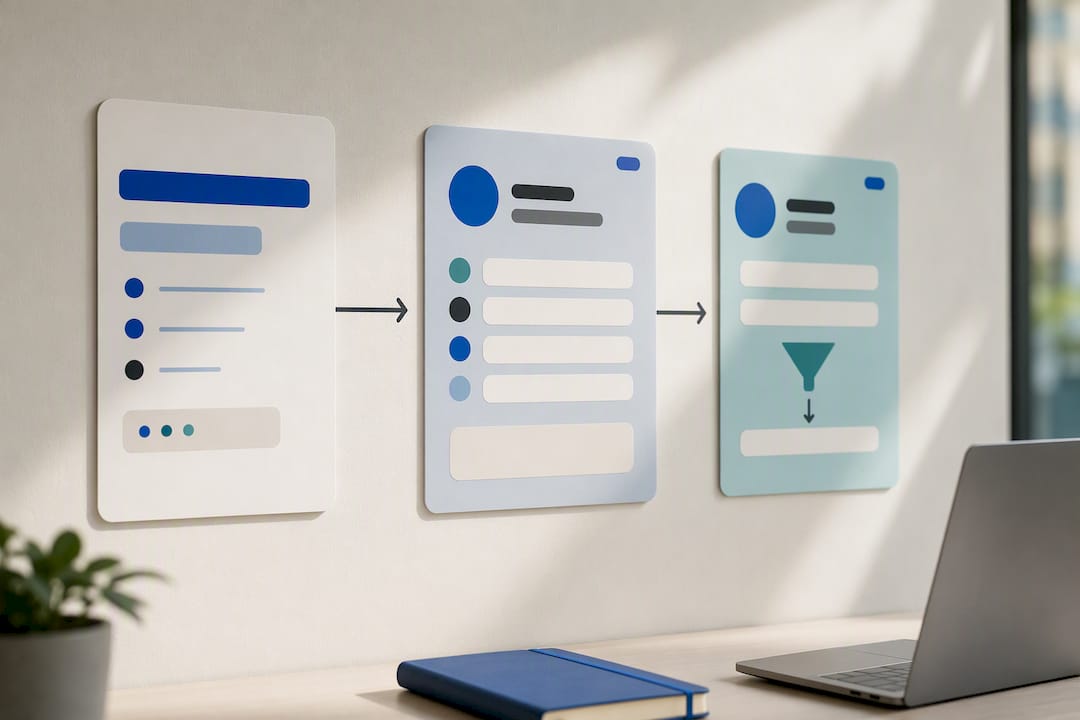
The practical value shows up when you are trying to answer a specific question: did this new client come from the Instagram ad or the bio link? If your booking system stores the landing URL or passes UTM values into custom fields, you can filter your client list by acquisition source directly, rather than relying only on analytics reports. Not every booking platform supports this out of the box, so check whether your system captures the full referring URL or strips query parameters before storing it, since some platforms simplify the URL for display purposes.
Even without a deep CRM integration, the UTM data in GA4 and the booking data in your calendar system usually line up closely enough by date and volume to draw reliable conclusions about which channels are actually filling appointments.
How to analyze UTM data to optimize salon marketing campaigns
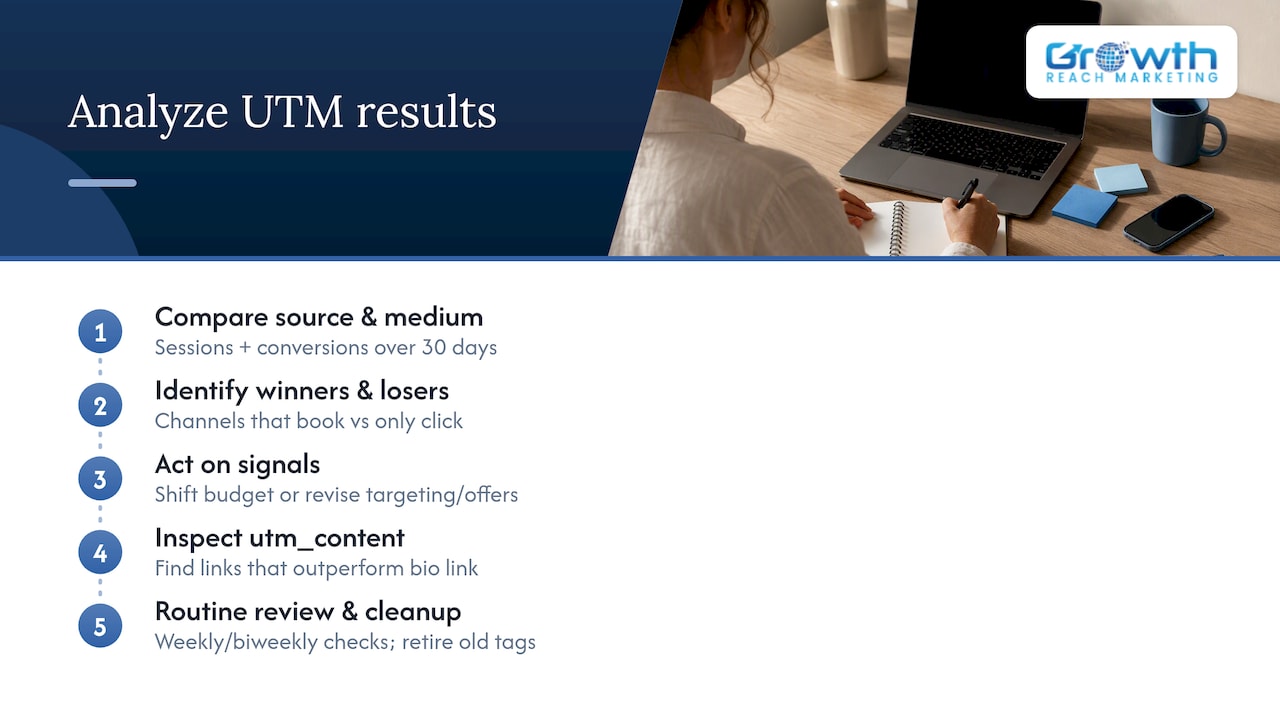
Collecting UTM data only pays off if you actually act on what it shows. Start by comparing sessions across your source and medium combinations in GA4 over a consistent window, like the last thirty days, and look for which channels are sending traffic that converts into bookings rather than just clicks.
Once you see which combinations perform, shift effort accordingly. If your instagram/social traffic converts well but facebook/paid traffic drives clicks without bookings, that is a signal to revisit the ad’s targeting or offer rather than pull back on social entirely. If a specific utm_content value, like a particular story link, consistently outperforms your bio link, that tells you something concrete about where your audience prefers to click.
Review your naming and results together on a set schedule, weekly or biweekly is usually enough for a salon’s volume, and retire campaign tags that are no longer live so old data does not get confused with a current promotion using the same name. Our guide to tracking salon marketing results goes deeper into which specific metrics deserve a recurring check.
Best practices for testing and validating UTM parameters before launch
Every tagged link deserves a quick test before it goes out to real clients. Click the link yourself from the actual platform, not just from a browser tab, since some apps handle links differently than a desktop browser does.
Confirm the full UTM string is still visible in the address bar once the page loads. If it has been stripped or shortened by the platform, the click will not attribute correctly no matter how carefully you built the original tag. Check your UTM master sheet against the live link one more time to make sure the source, medium, and campaign values match exactly what you intended, including capitalization.
Give the link a few hours after the first real clicks before checking GA4, since acquisition reports are not always instant. If the session shows up under the expected source and medium, the link is working. If it shows up as “(not set)” or under the wrong source, go back and check for a missing parameter or a platform that dropped the query string during a redirect.
Author perspective from Gerard and Growth Reach Marketing
We have watched salons discover, sometimes for the first time, exactly which channel actually fills their chairs once they start tagging links properly. The shift is almost always the same: less guessing about where to spend the marketing budget, more decisions backed by which source and medium consistently turn into booked appointments.
— Gerard
How Growth Reach Marketing can help implement tracking and reporting
Building a clean UTM system is one thing. Keeping it consistent across every social post, ad, and email a salon sends out every month is another. Tagging systems can be set up as part of Facebook and Instagram ads management and social media management, so that every link published follows a consistent naming standard automatically instead of depending on whoever happens to be posting that day.
For salons that would rather hand this off entirely, our services page covers ad setup, ongoing tracking, and reporting built specifically around booking-based businesses like salons and aesthetic clinics. If you want a system that tells you exactly which post or ad brought in your last ten new clients, that is the conversation worth starting.
Sources
- URL builders: Collect campaign data with custom URLs – Analytics Help
- Traffic-source dimensions, manual tagging, and auto-tagging – Analytics Help
- UTM Tracking Codes and Digital Marketing
FAQ
What does UTM tagging mean?
UTM tagging means adding short tracking parameters to the end of a URL so analytics tools can identify where a visitor came from. The three core parameters, utm_source, utm_medium, and utm_campaign, tell Google Analytics which platform, channel type, and promotion sent that click, according to Google’s own guidance.
How do I inform potential clients about a hair salon online?
Salons typically reach potential clients through a mix of social media posts and ads, email campaigns, Google Business Profile listings, and referral programs. Tagging the links used in each of these channels with UTMs lets you see which one actually turns interest into a booked appointment rather than just guessing based on likes or opens.
Can you provide examples of UTM terms for a salon?
A salon might use utm_term to capture the specific keyword or audience segment behind a paid search or social ad click, such as “haircut-near-me” or “balayage-offer.” It is an optional parameter, most useful when running paid campaigns where you want to compare performance across specific keywords or audience targets.
How do I create a UTM code?
Take your destination URL, add a question mark, then attach parameter and value pairs separated by ampersands, such as ?utm_source=instagram&utm_medium=social&utm_campaign=newclient-summer. You can build this manually or use Google’s Campaign URL Builder to generate the string automatically and avoid typos.